SosomLab Notify
v1.0.0A real-time push notification app for sending and receiving
Install
Android
- Tap the Google Play button above and install the app from the store.
- Open the app and sign up with email or sign in with a Google account. Email sign-up requires confirming the code in a verification email.
- Allow notification permission and you can receive push notifications right away. (To allow it later, turn it on under Settings → Apps → Notifications)
Android only — an iOS version is coming soon. If you turn off notification permission, you cannot receive notifications that other people send you. You can delete your account yourself in the app or on a web page. For detailed instructions, see the User Guide.
Send important news to one person or several by push notification, and check received notifications and the delivery and read status of sent ones on a single screen. Just write a subject and a message, and it goes out right away. (Android — released on Google Play)
Screenshots
Key Features
- Real-time push notifications Get a notification on your device as soon as something important happens.
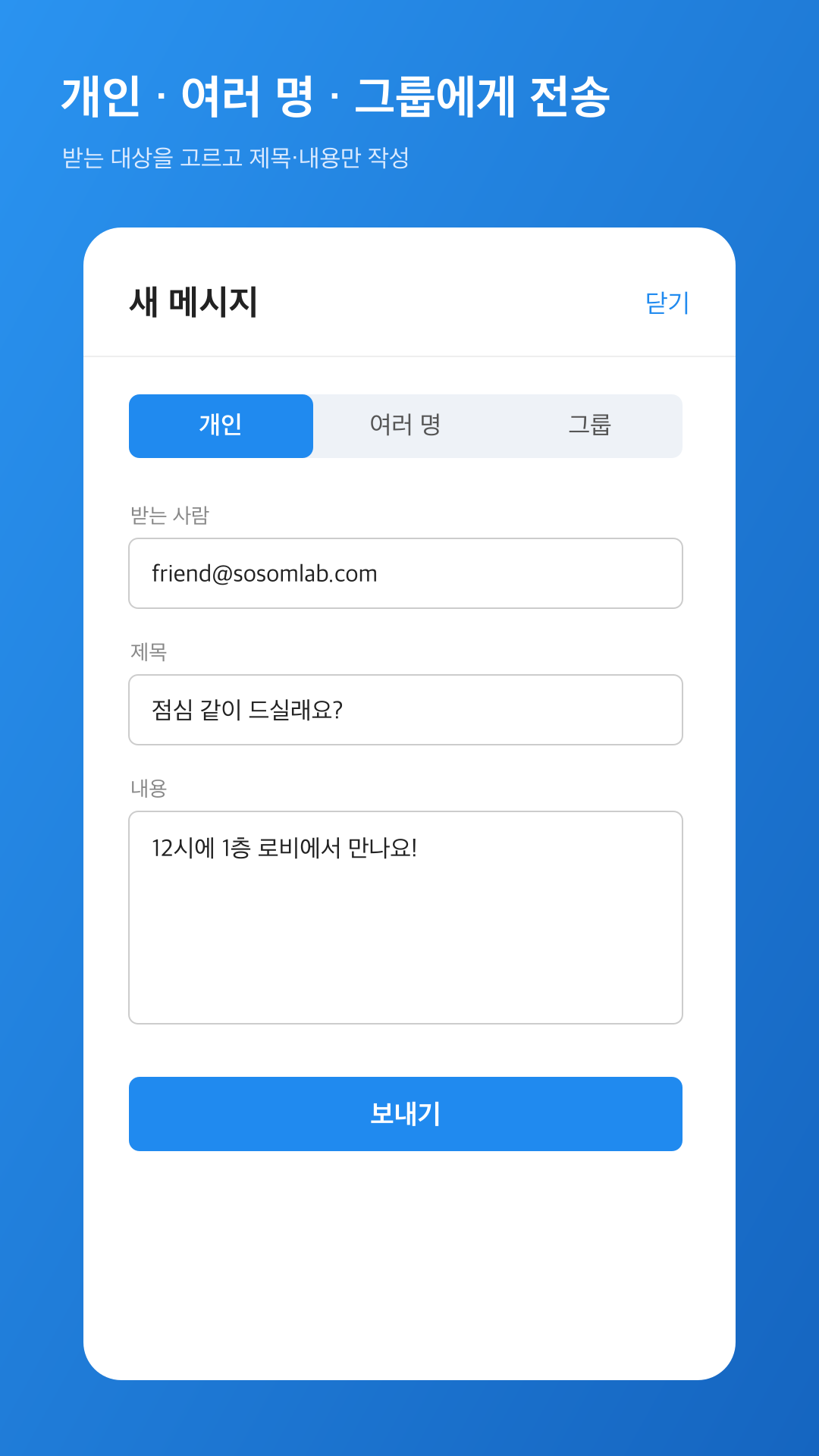
- Send to an individual or multiple people Enter the recipient email addresses, write a subject and a message, and send a notification to one person or several right away. Group sending is coming soon.
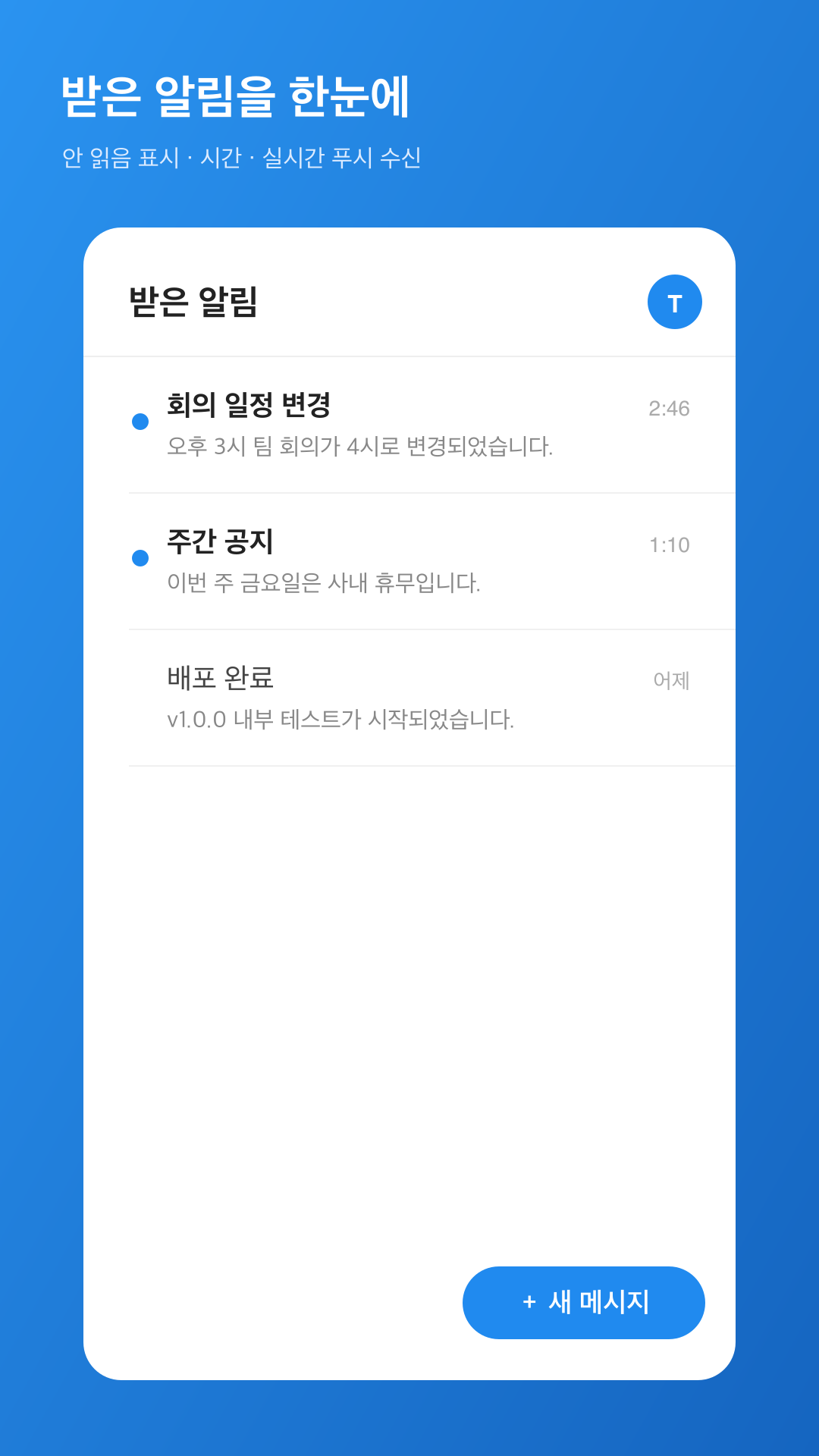
- Received and Sent message boxes Switch between received and sent notifications with the tabs at the top of the home screen. Received notifications are organized with unread markers and arrival times, and each tab supports pull-to-refresh.
- Delivery and read status Expand a sent message to see the Delivered and Read status of each recipient. It also tells you when a message could not be sent because the recipient has not installed the app.
- Search and Reply Search by subject, message, and the other party, and narrow the scope to All, Received, or Sent. Tapping the Reply button on the detail screen opens the compose screen with the recipient and subject already filled in.
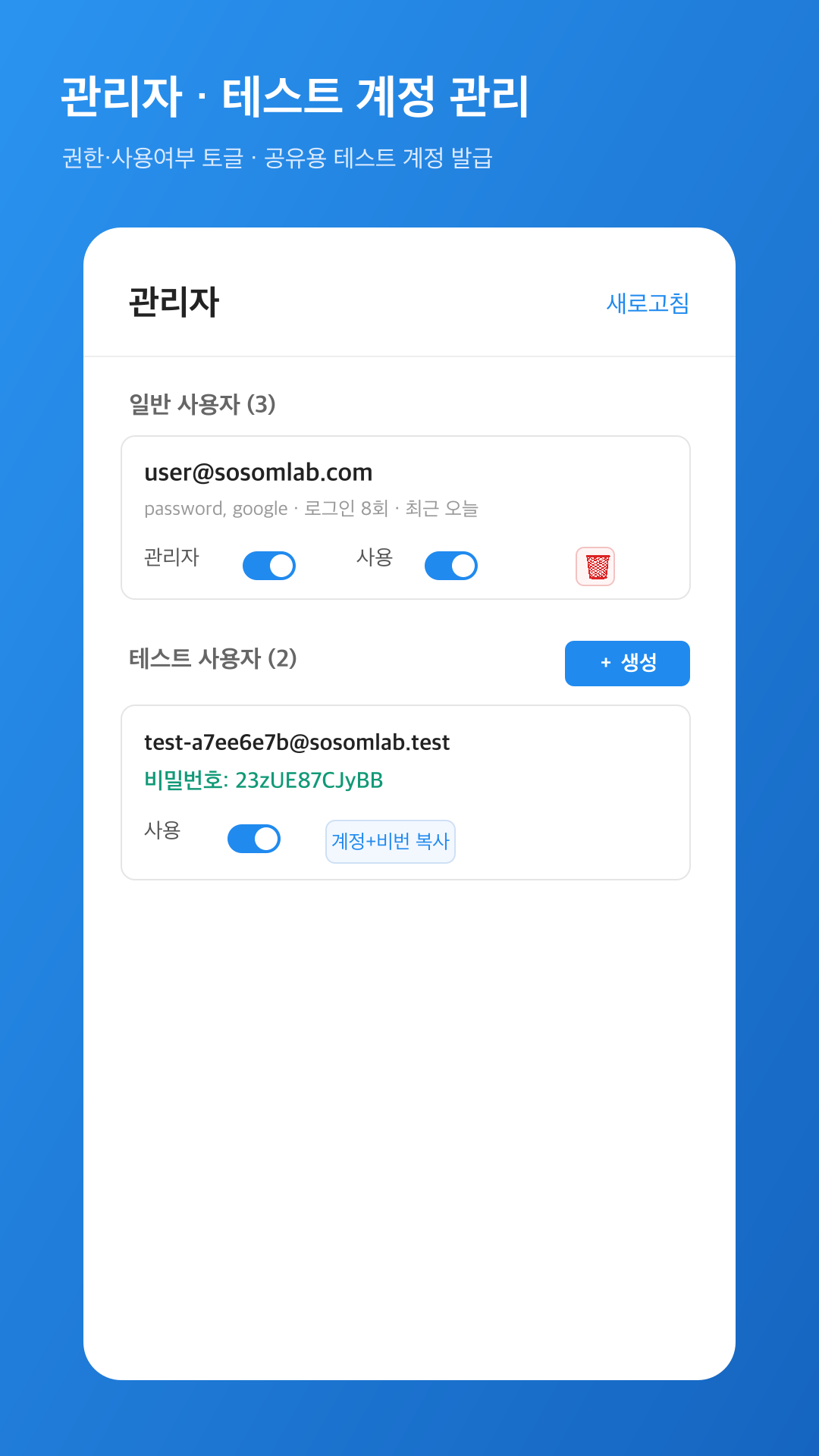
- Admin and test account management Manage user privileges and active status with toggles, and create shared test accounts on the spot.
- Light and fast to use Anyone can get started easily, with no complicated setup.
About
SosomLab Notify is a lightweight mobile app for sending and receiving real-time push notifications. It gathers the notifications you receive on a single screen, and you can also send notifications directly to the people you choose.
On the new message screen, choose an individual or multiple people as recipients, write a subject and a message, and it is sent immediately. Group sending is coming soon. People you recently exchanged messages with appear as chips, so you can pick them with one tap. The received list is organized with unread markers and arrival times, so you do not miss important moments.
The home screen is divided into Received and Sent tabs. In Sent, you can expand the Delivered and Read status of each recipient to check whether a notification actually arrived. Tapping the Reply button on the detail screen opens the compose screen with the recipient and subject already filled in.
You can search by subject, message, and the other party, and narrow the scope to All, Received, or Sent.
The admin screen lets you manage user privileges and active status with toggles and create shared test accounts on the spot, which also makes it useful for distribution and verification within a team.
Messages are stored on the device, not on a server, so previous messages do not move over if you delete the app or change devices.
It is currently available on Google Play (Android). An iOS version is coming soon.
Release Notes
v1.0.0 2026-06-21 Released on Google Play — send and receive notifications, with a Sent box, read receipts, search, and reply.
Added
- Send and receive notifications — Choose an individual or multiple people as recipients, write a subject and a message, and it is sent immediately.
- Received and Sent message boxes — Separated by tabs at the top of the home screen, each with pull-to-refresh. Received notifications are organized with unread markers and arrival times.
- Delivery and read status — Expand a sent message to see the status of each recipient. Messages that could not be sent because the recipient has not installed the app are also marked separately.
- Search — Find messages by subject, message, and the other party, and narrow the scope to All, Received, or Sent.
- Reply — Tapping the Reply button on the detail screen opens the compose screen with the recipient and subject already filled in.
- Recent recipients chips — Pick people you recently exchanged messages with from the top of the compose screen with one tap.
- Sign-in — Supports email sign-up (with a verification email) and Google account sign-in.
- Admin screen — User privilege and Active toggles, on-the-spot creation of shared test accounts, and sign-in statistics.
- Account deletion on the web — You can delete your account yourself on a public page, even after removing the app.
Changed
- App icon — Changed to a blue notification bell and rebuilt the app so the device launcher icon matches the store icon (same v1.0.0).
Notes
- Currently Android only. An iOS version is coming soon.
- Group sending is coming soon — The Group tab on the compose screen does not actually deliver anything yet. To reach several people, use the Multiple tab.
- Messages are stored on the device — They are not kept on a server, so previous conversations do not follow you if you delete the app or switch to another device. Multi-device sync is future work.
Terms & Policies
Contact: [email protected]